Two old Kindles as a home dashboard: a jailbreak, a long-poll and a lot of eips
Turning a 2010 Kindle Keyboard and a 2011 Kindle Touch into always-on displays for music, weather, news and the house.
JT (Jess)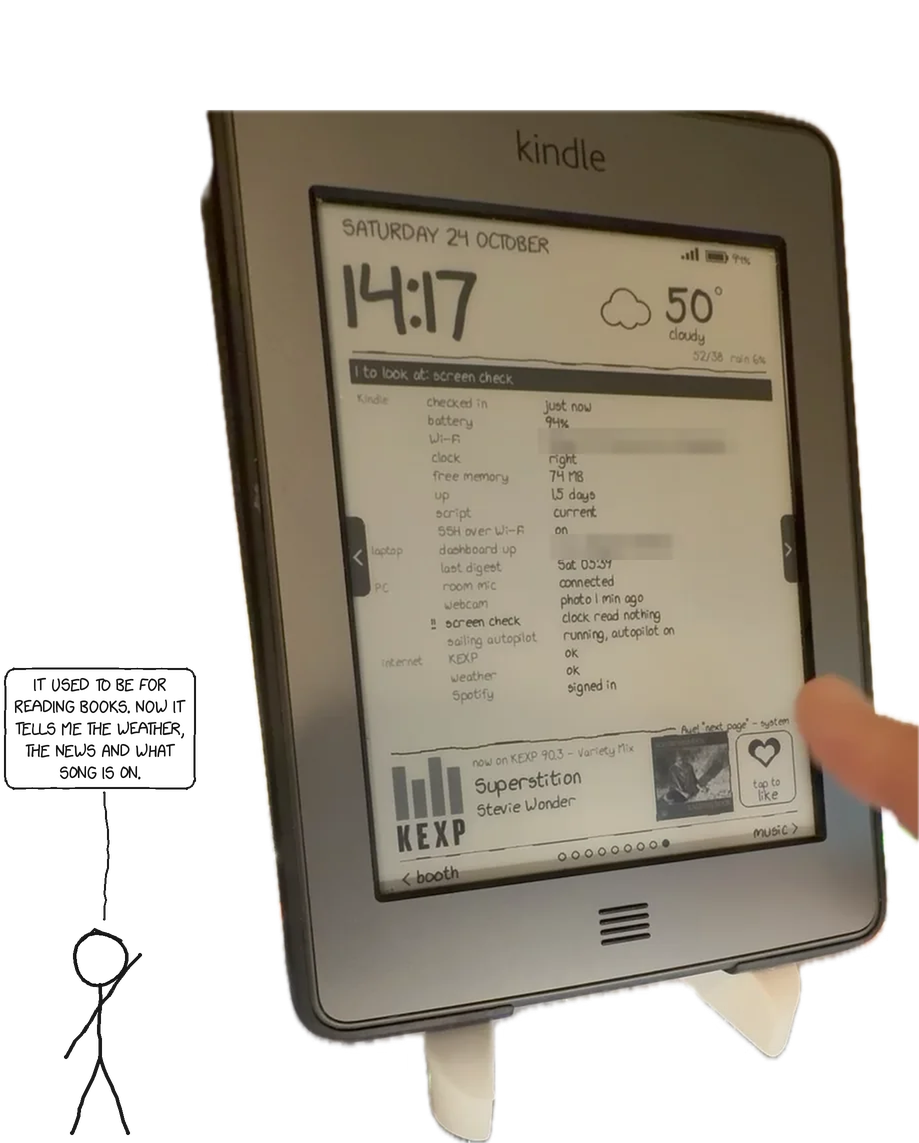
October 2026. Built over about ten days on two Kindles that had spent years in a drawer. Everything below runs at home today; anything not yet working is marked as such.
I had two retired Kindles: a Kindle Touch (2011, firmware 5.3.7.3) and a Kindle Keyboard 3G (2010, firmware 3.4) whose 3G radio died with the carrier's network. E-ink is perfect for a glanceable display: no glow, readable in daylight, and a screen that holds an image with no power at all. I wanted each of them to show the time, the weather, what music is playing in the room, the day's calendar, a news digest and an xkcd, and to do something useful when touched or pressed.
The result: the Touch hangs in the living room and the Keyboard sits on the bedside table. Both draw the same pages from one small server on my network, and between them they have a heart button that saves the song to Spotify, a selfie booth, voice commands, a sailing autopilot, sleep screens made from comics and photos, and a system page that tells me when something is broken before I notice.
This post is about how: the design that made two very limited devices easy to work with, every integration point, and the things that went wrong.
The one design decision that mattered
The Kindle is a dumb terminal. All logic lives on a server.
A Kindle Touch has a 2.6.31 kernel, about 14 MB of free memory and a busybox shell from 2011 with no od, no hexdump, no nohup and no setsid. The Kindle Keyboard is older still (kernel 2.6.26, busybox 1.7.2, where grep has no -E). Writing a dashboard on either device would have meant fighting that every day.
So the Kindle does four things only:
- Draw the PNG it's given (
eips -g). - Report its battery, Wi-Fi signal, free memory, clock and script version on every request.
- Forward raw input: touch coordinates, or the name of the key pressed.
- Wait for the server to say something changed.
Everything else — layout, pages, navigation, what a tap means, likes, settings, the Spotify connection — is a Python server (about 2,200 lines, Pillow for drawing) on a machine that's always on. Changing a page or adding a feature means restarting a service on that machine; the Kindles pick it up on their next request. I only had to push new code to a Kindle when the device side itself changed, which got rarer every day.
 room mic ─┐          ┌──────────── PC (always on) ─────────────┐
 webcam ───┼─────────▶│ now-playing container: music ID, voice, │
           │          │ selfie booth, screen check (vision LLM) │
           │          │ news digest LLM · Home Assistant · Plex │
           │          └────────────────▲────────────────────────┘
 Cast speakers ── passive listener ──┐ │ HTTP (LAN)
 Spotify Web API ───────────────────┐│ │
 weather · xkcd · KEXP ────────────┐││ │
                                   ▼▼▼ │
                         ┌─────────────────────────┐
                         │ dashboard server        │
                         │ (pages, state, actions) │
                         └──────▲───────────▲──────┘
                    PNG + state │           │ PNG + state
                  taps, battery │           │ keys, battery
                        Kindle Touch    Kindle Keyboard
                        (living room)   (bedroom)
Getting in
The Kindle Touch: a jailbreak and an expired certificate
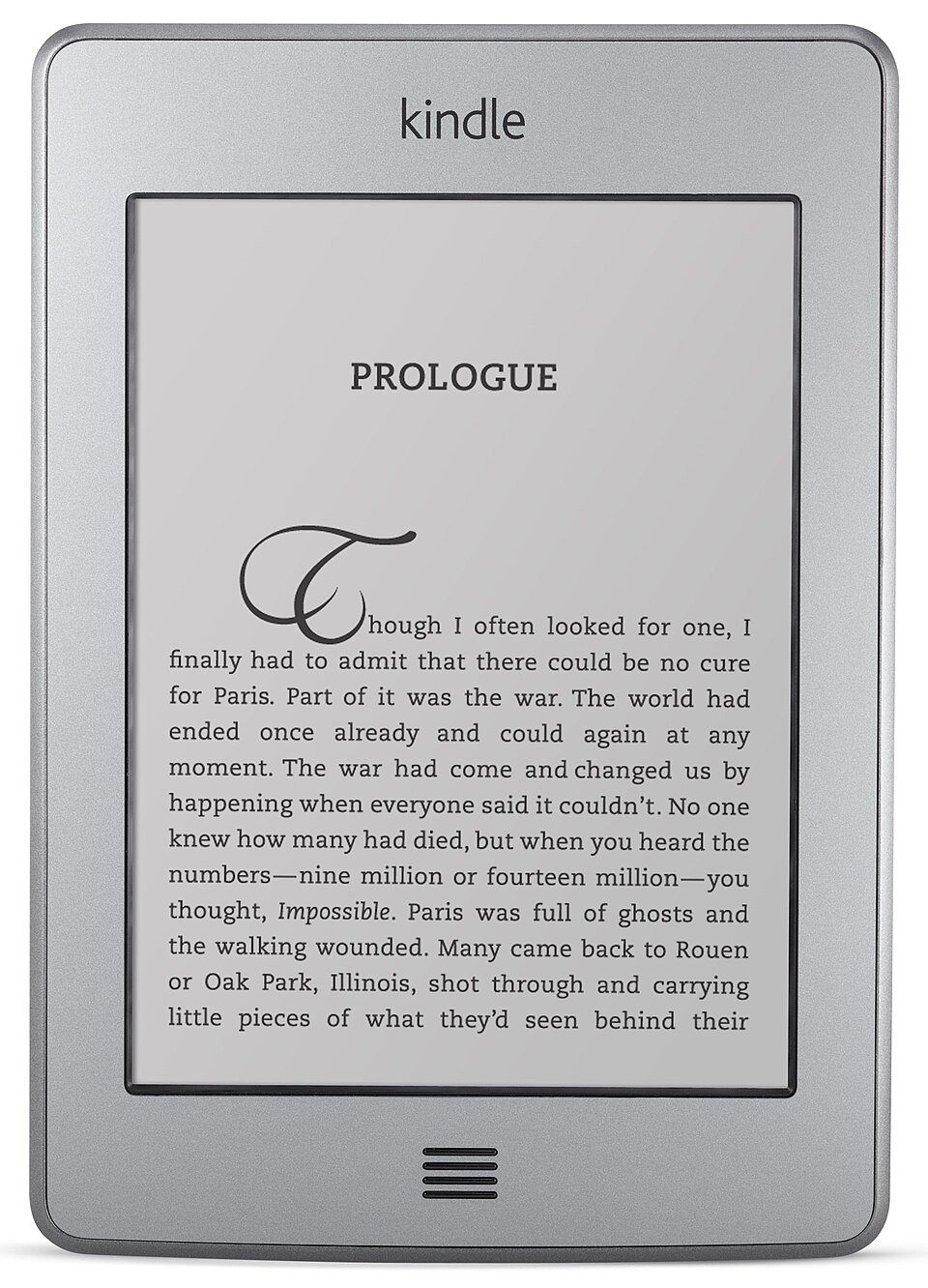
The Touch needed a jailbreak. The Kindle community at MobileRead (NiLuJe in particular) maintains jailbreaks and tools for every generation, including the K5 jailbreak for firmware 5.x. I backed up the whole device first (1,301 files, verified with checksums), then ran it. The screen said JAILBREAK, which is the good outcome.
Then I installed KUAL — the Kindle Unified Application Launcher, a book-shaped app that shows a menu of scripts — and it refused to start: "Class not signed by valid developer certificate." Current KUAL builds are signed with newer certificates than the developer keystore installed by the 2014-era tooling. The fix was to replace the keystore with the current one (valid to 2099) in the three places the Kindle looks, one of which is marked immutable and has to be unlocked with chattr -i first. After that, KUAL opened.
The Kindle Keyboard: already done, in 2015
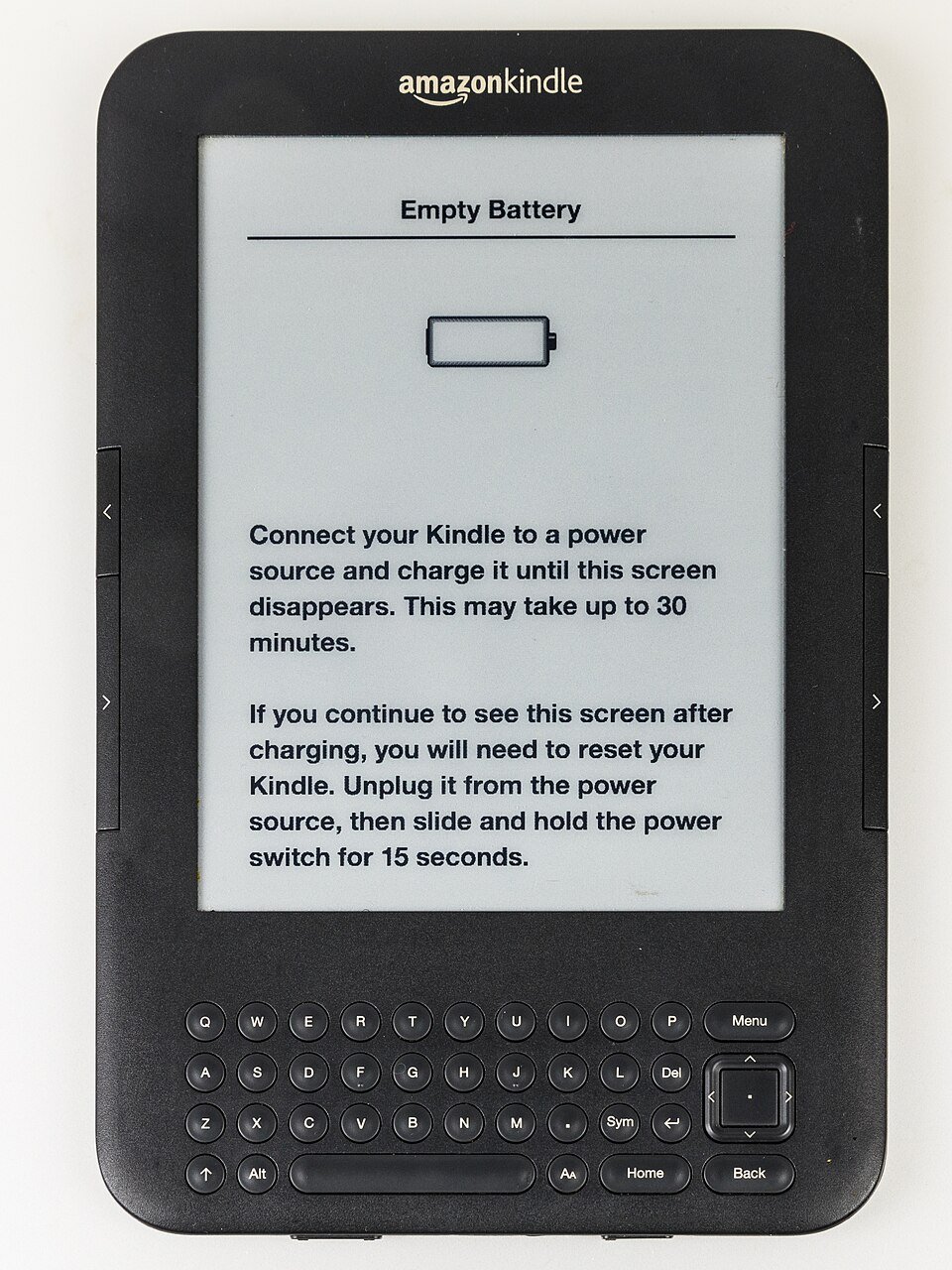
The Keyboard turned out to be jailbroken already, by me, nine years earlier, with a set of hacks I'd forgotten: USBNetwork (SSH), Launchpad (keyboard shortcuts that run scripts), the screensaver hack (your own sleep images) and a Python 2.7 build. That changed the plan: on the Keyboard the client is a Python script rather than shell.
SSH, so that USB cables stop being the deploy tool
For the first few days, every change meant: plug in, copy, eject, test, read a log file, repeat. USBNetwork over Wi-Fi fixed that on both devices: key-only SSH (no passwords), with only the SSH daemon listening on Wi-Fi, so USB stays a normal drive. The Keyboard's bundled dropbear is too old for ed25519 keys, so it uses the bundled OpenSSH 7.0 instead. One surprise: that OpenSSH reads its authorized keys from usbnet/etc/authorized_keys, even though sshd -T reports a different path. I only found that by running sshd -d over the USB-only telnet session.
I also wanted the Touch on Tailscale, so it would work away from home. It can't: Tailscale's Go runtime needs kernel 2.6.32 or newer, and the Touch has 2.6.31. A travel router running Tailscale with a route to the home network is the realistic answer.
Drawing: eips, full refreshes and the status bar
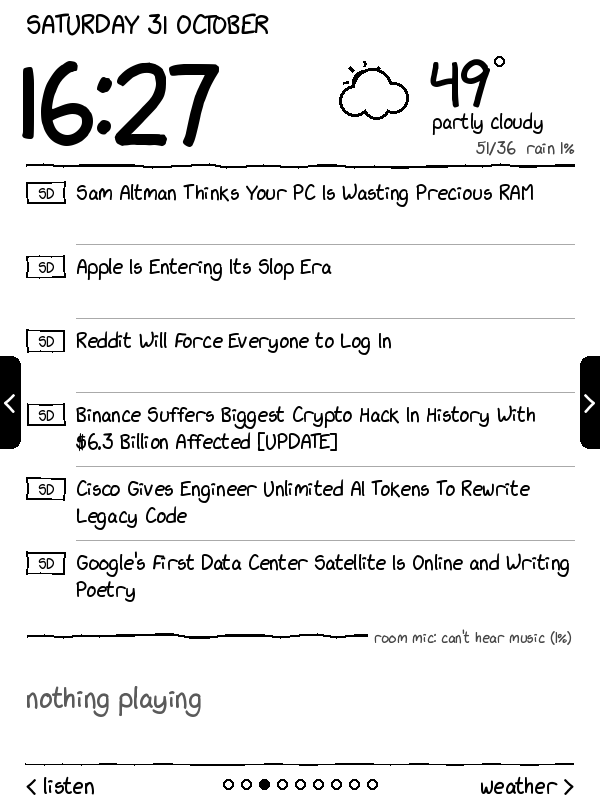
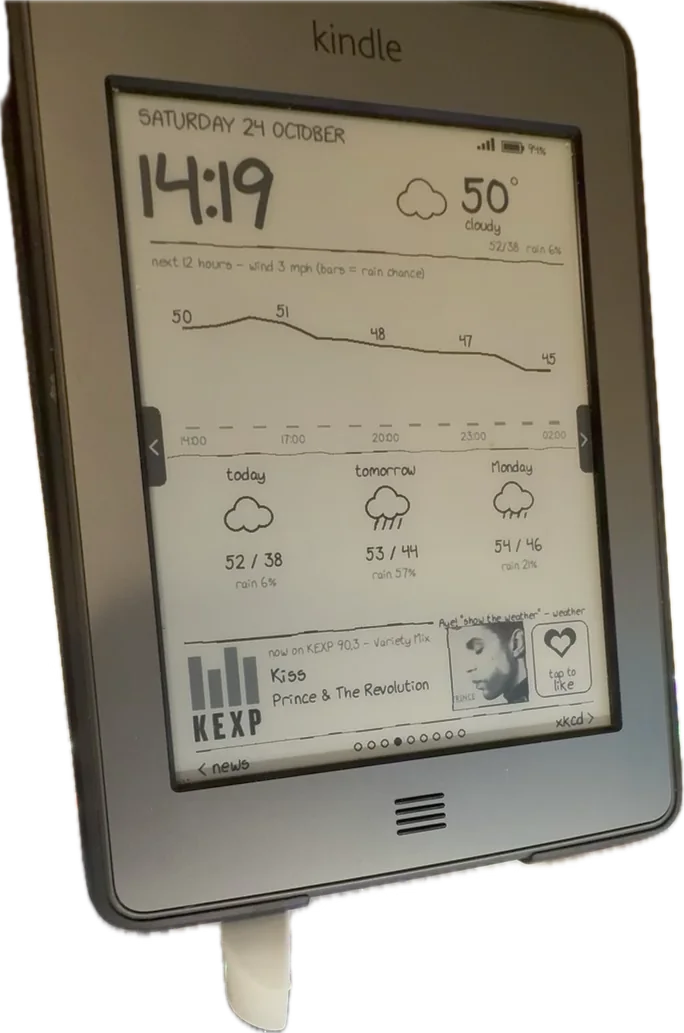
Every page is a 600×800 8-bit greyscale PNG, drawn on the server with Pillow in an xkcd style: the xkcd-script font, slightly wobbly hand-drawn lines and stick-figure icons. The Kindle shows it with eips -g dash.png.
E-ink has two kinds of update. A partial refresh is fast and doesn't flash, but leaves faint ghosts of earlier images. A full refresh (eips -f -g) flashes black and leaves the screen clean. The server tells the Kindle when to use which: each request returns a short state key, a hash of everything that matters (the page, the song, the like status, the clock in night mode, any status message). A new key means a full refresh; otherwise it's a partial one, with a full refresh forced every 15th draw to clear the ghosting.
The Touch has a status bar at the top (time, Wi-Fi, battery), drawn by a process called pillow. Left alone, it draws over the dashboard. I tried hiding it, which sometimes brought it back half-painted in black blocks; I tried shrinking the dashboard to leave it a 32-pixel strip, which works. Now it's a setting: by default the dashboard stops pillow while it runs and tells the server so (p=0 on every request), and the server draws full-height. If the bar is kept, the server shrinks the page to fit under it — and un-shrinks tap coordinates to match.
The protocol
Everything is plain HTTP on the LAN, under a long random path (a token of 24 random bytes, base64), because the Kindles' old TLS stacks aren't worth fighting at home.
| Request | What it does |
|---|---|
GET /<token>/state?b=..&c=..&ws=..&mf=..&kt=..&v=.. | Check in. Returns key=<hash> and sleep=<seconds>. The query string carries battery, charging, Wi-Fi signal, free memory, uptime, the Kindle's clock and the client script's version. |
GET /<token>.png | The page to draw right now. |
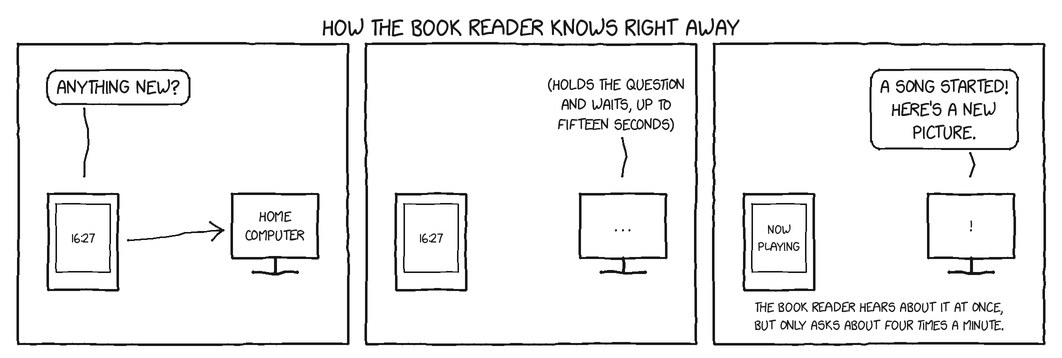
GET /<token>/wait?key=<hash>&t=60 | The Kindle's sleep. The server holds the request open and answers the moment the state key changes, or after t seconds. |
GET /<token>/tap?x=..&y=..&x0=..&y0=.. | A touch, with its first and last positions, so the server can tell a tap from a swipe. |
GET /<token>/kk/key?k=like | A key press on the Kindle Keyboard, by name. |
GET /<token>/pref?k=rotate&v=5 | Change a setting from the Kindle's menu. |
GET /<token>/list and /f/<folder>/<name> | Book sync (below). |
GET /<token>/ping | "Are you the dashboard?" — used to find the server again. |
The Keyboard uses the same server under /<token>/kk/…. Inside the server a contextvars variable says which device a request is for, so the drawing code reads the right device's page, battery and status bar without being written twice. The pages themselves, the songs, the likes and the settings are shared.
Long-polling made it feel instant
The first version woke up once a minute and redrew. That's fine for a clock, but a voice command or a song change could take a minute to show up. Long-polling fixed it without any push channel: the Kindle's "sleep" is the open /wait request, so anything that changes the state key — a song change, a like from my phone, a voice command, a new selfie — answers it immediately, and the Kindle redraws within a second or two. If the wait fails, the client falls back to a plain sleep instead of spinning.
$ curl -s "$BASE/state"
key=6eb36c373641
sleep=60
# the Kindle's 'sleep': held open until the key changes, or t seconds pass
$ time curl -s "$BASE/wait?key=6eb36c373641&t=20"
ok
real	0m15.034s
# answered after 15 s, not 20: the page had rotated, so the key changed
At night (23:00–06:00) the server answers sleep=120 (the Touch) or sleep=300 (the bedroom Kindle) and stops rotating pages, so there are fewer flashes in a dark room.
Finding the server again
The router hands out addresses by DHCP, and on my network the server's address has changed more than once. So when a request fails, the client scans its own /24 for /<token>/ping, one address at a time with a one-second timeout, remembers the address that answers in host.txt, and carries on.
Failing gracefully
A dashboard that silently shows a stale clock is worse than none. So:
- After 3 minutes without an answer, the Kindle prints
OFFLINE since 14:02 - retrying every minuteacross the bottom. - Every 3 failures it nudges the Kindle's connection manager to rejoin Wi-Fi (it can get stuck after USB).
- After 5 minutes offline it gives the normal Kindle UI back, so the device is never stranded on a dead screen.
- Holding the power button for 20 seconds always restarts the Kindle normally, with the dashboard off.
Input
Touch, without od or hexdump
Reading the touchscreen means reading /dev/input/eventN: a stream of 16-byte input_event structs. On the Touch's busybox there's no od or hexdump to decode them, and no Python.
The trick that worked: cmp -l events.bin /dev/zero lists every byte that isn't zero, as an offset and an octal value. An awk script rebuilds the little-endian fields from that (missing bytes are zero), giving type code value lines.
# ev.bin: 48 bytes, three 16-byte input_events (X=1234, Y=2871, finger up)
$ cmp -l ev.bin /dev/zero | head -6
 2  32   0
 3  44   0
 4 147   0
 9   3   0
11  65   0
13 322   0
$ cmp -l ev.bin /dev/zero | awk -v n=48 -f events.awk
3 53 1234 0
3 54 2871 0
1 330 0 0
# type 3 code 53/54: touch X/Y; type 1 code 330 value 0: finger lifted
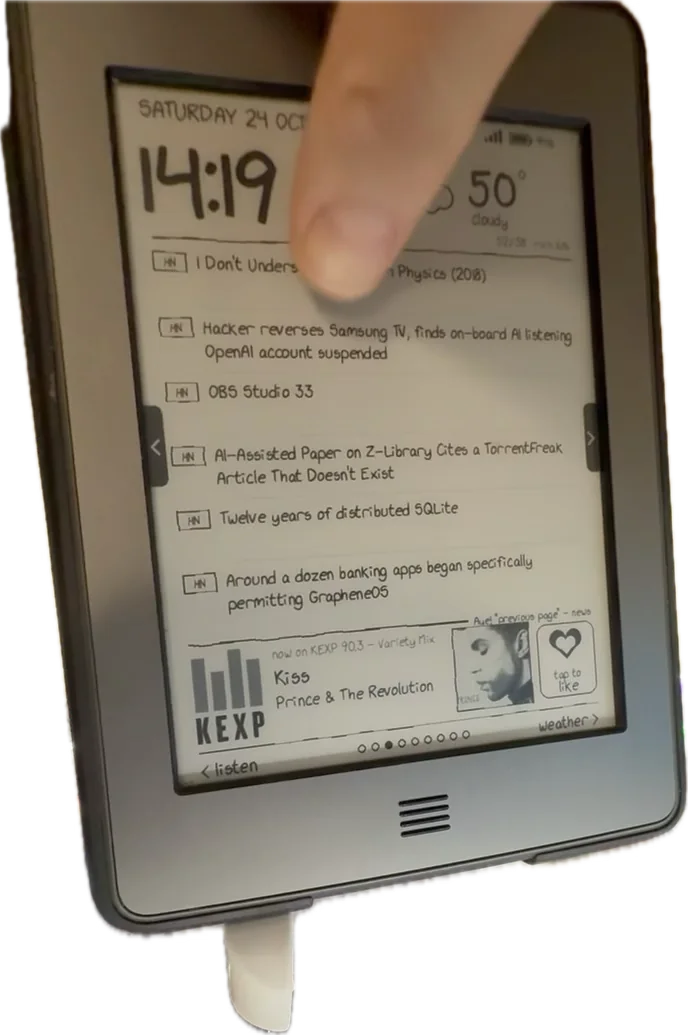
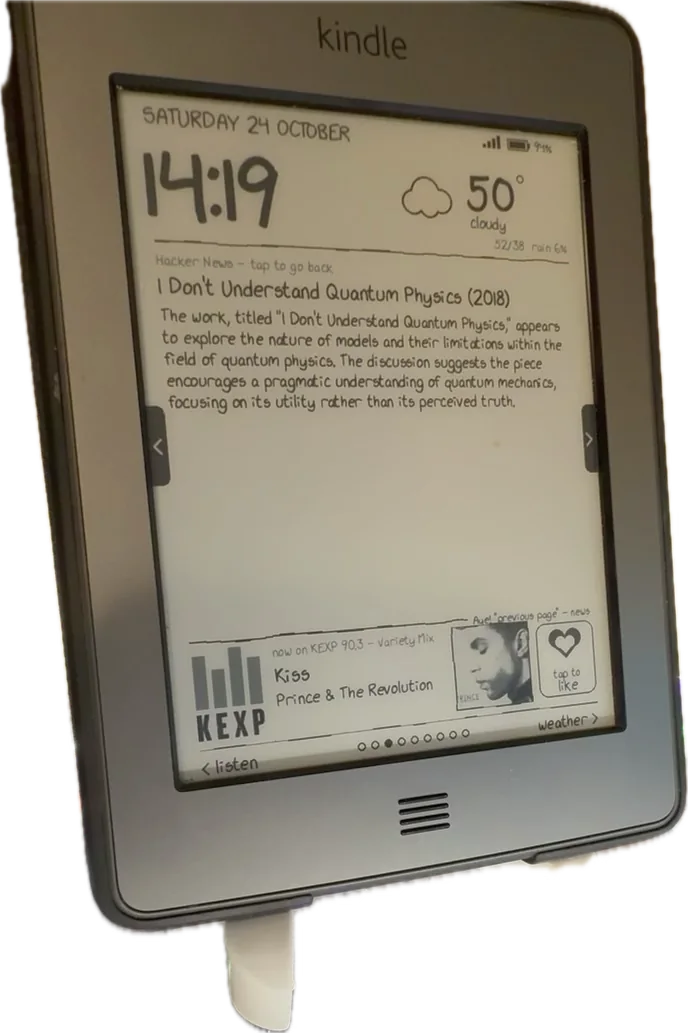
The client remembers the first and last X/Y of each touch and, on finger-up, sends one /tap to the server. The server applies a calibration (the touch panel reports 0–4095 on each axis), decides whether it was a swipe (more than 90 px sideways) or a tap, and works out what was under the finger.
The Kindle UI has to get out of the way
If the Kindle's own interface is running, a tap on the dashboard also taps whatever book is underneath. So "Start dashboard" stops the Kindle framework (stop framework) and pillow, and the Home button or "stop" starts them again.
That raised two process puzzles:
- KUAL kills its children when it closes, and stopping the framework kills KUAL's whole session. The dashboard therefore re-launches itself with
/usr/bin/setsidinto a session of its own (busybox has nosetsid, but the Kindle's own one exists) and ignoresHUP/TERM. - Ignoring
TERMthen broke waking it: thesleepit ran inherited the ignored signal, sokilldid nothing and taps didn't redraw. Waking useskill -9on the sleep.
The Kindle Keyboard: Launchpad and a 5-way pad
The Keyboard has no touchscreen, but it has a full keyboard, a 5-way pad and page-turn buttons. Its Python 2.7 client uses select() on the input devices for the 5-way (left/right change page, press redraws), the page buttons and Home (exit).
Letters were harder. Launchpad, the 2015 shortcut hack, grabs the keyboard after Shift is pressed, so the client never sees Shift-combinations. Rather than fight it, I used it: a small Launchpad config maps Shift, then a letter to kk.sh key NAME, which calls the server and pokes the running client to redraw.
| Keys | Action |
|---|---|
| 5-way left/right, page buttons, Shift N / Shift B | Previous / next page |
| Shift L | Like (or unlike) the playing song |
| Shift S | Selfie, from the webcam in the living room |
| Shift P / Shift Space | Play Liked Songs on the stereo / pause (via Home Assistant — not set up yet) |
| Shift W | Redraw now |
| Shift D / Home | Start / leave the dashboard |
One bug cost an evening: on exit, the client restarted the Kindle UI with /etc/init.d/framework start through a captured pipe. The daemons it started inherited the pipe and held it open, so the client waited forever for output that would never end. Redirecting to /dev/null fixed it.
The pages
| Page | What it shows |
|---|---|
| Top (always) | Day, date, a large clock, the weather with a hand-drawn icon, battery and Wi-Fi |
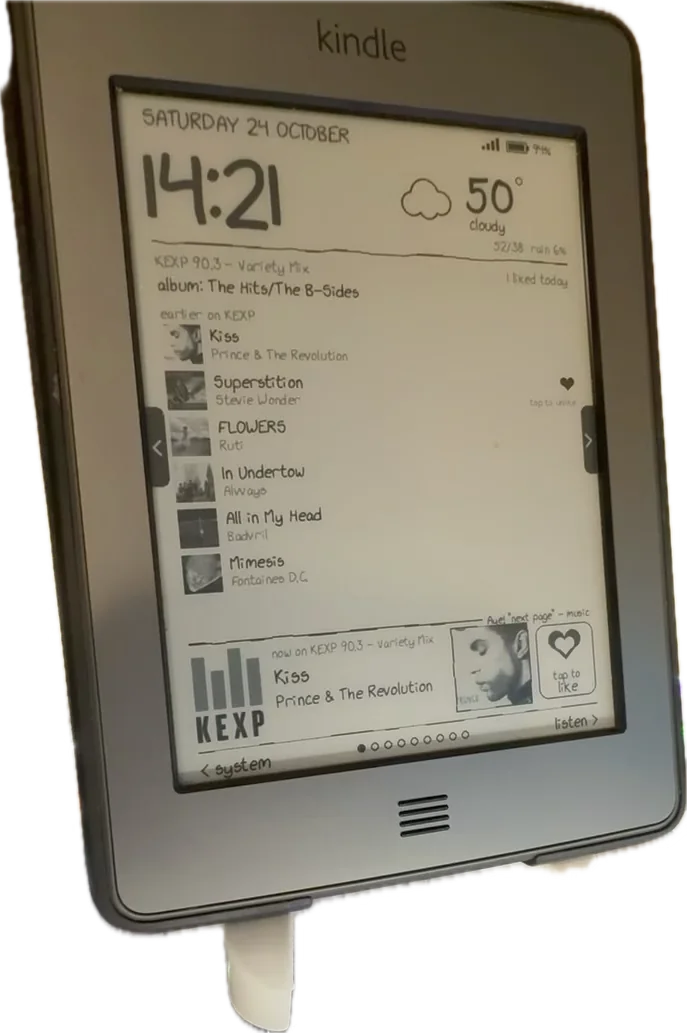
| Song strip (always) | What's playing — album art, title, artist, where it was heard — and a heart button |
| music | The song in detail, what's up next, earlier songs (tap a heart to unlike) |
| listening | How the room recognition is doing: what the mic hears, recent attempts, what the webcam read off this screen |
| news | Headlines from the latest digest; tap one for its summary |
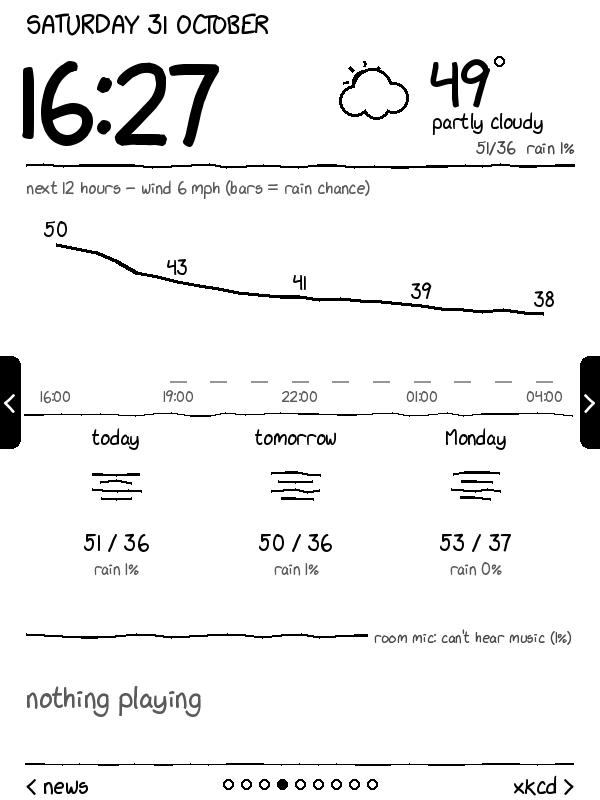
| weather | Hourly temperature and rain chance, three days |
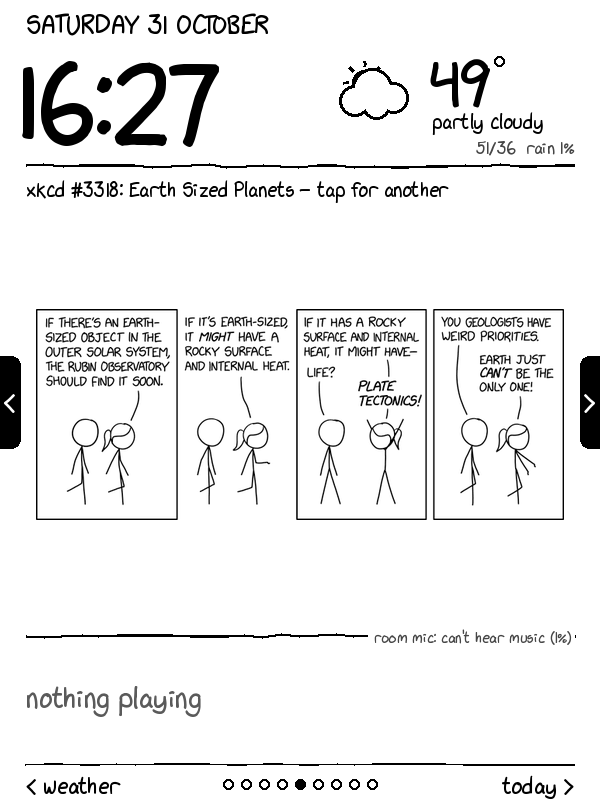
| xkcd | Today's comic if it's new, otherwise a random one; tap for another |
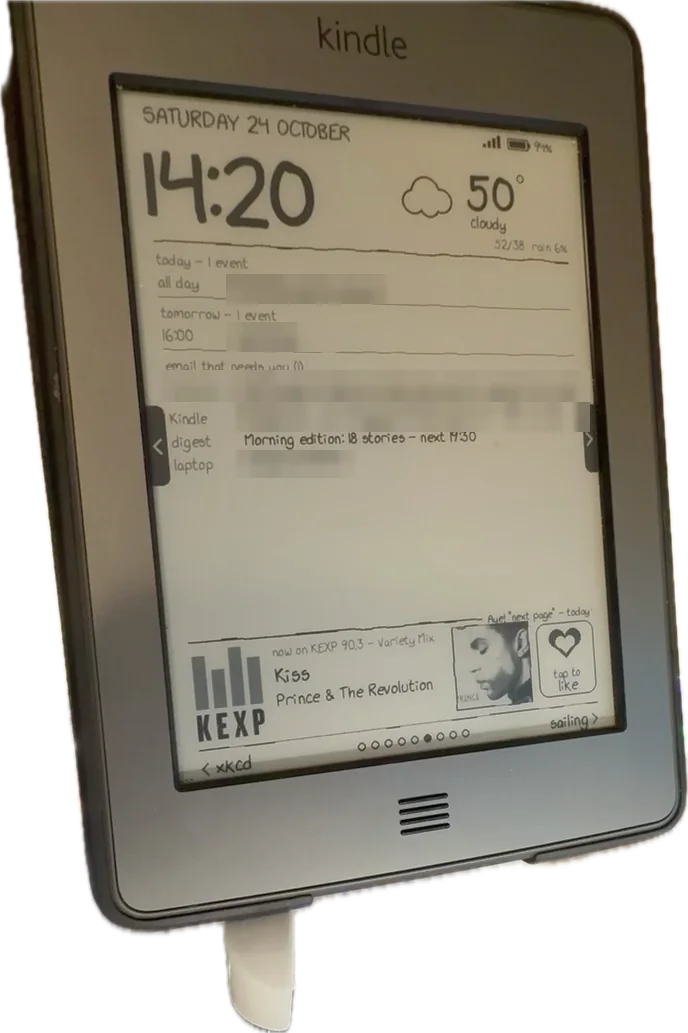
| today | Today's and tomorrow's events, email that needs a reply (sender and subject only) |
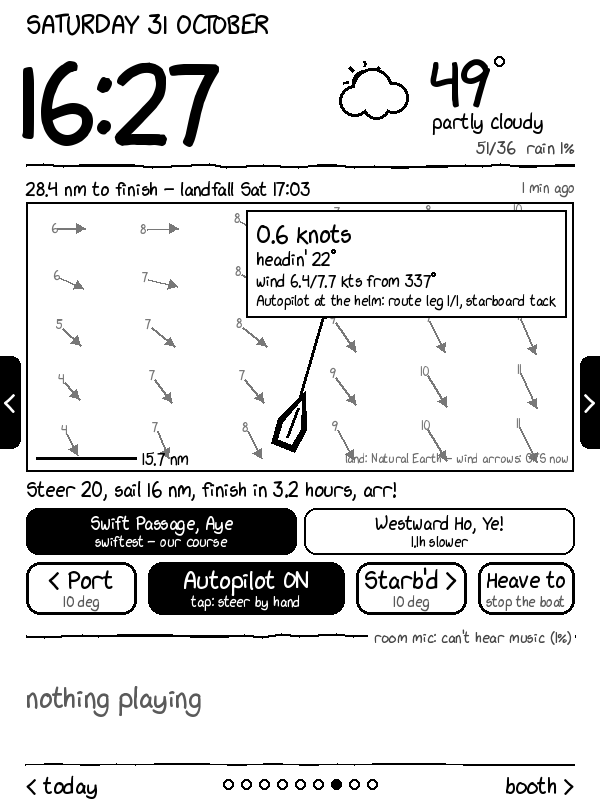
| sailing | A chart and controls for a sailing simulation's autopilot |
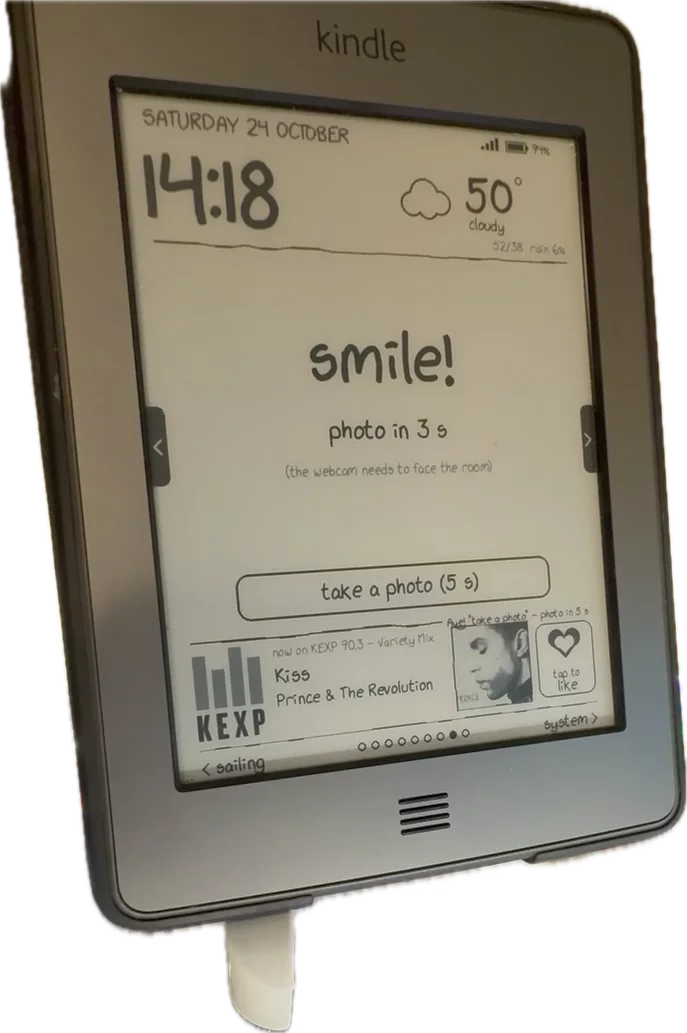
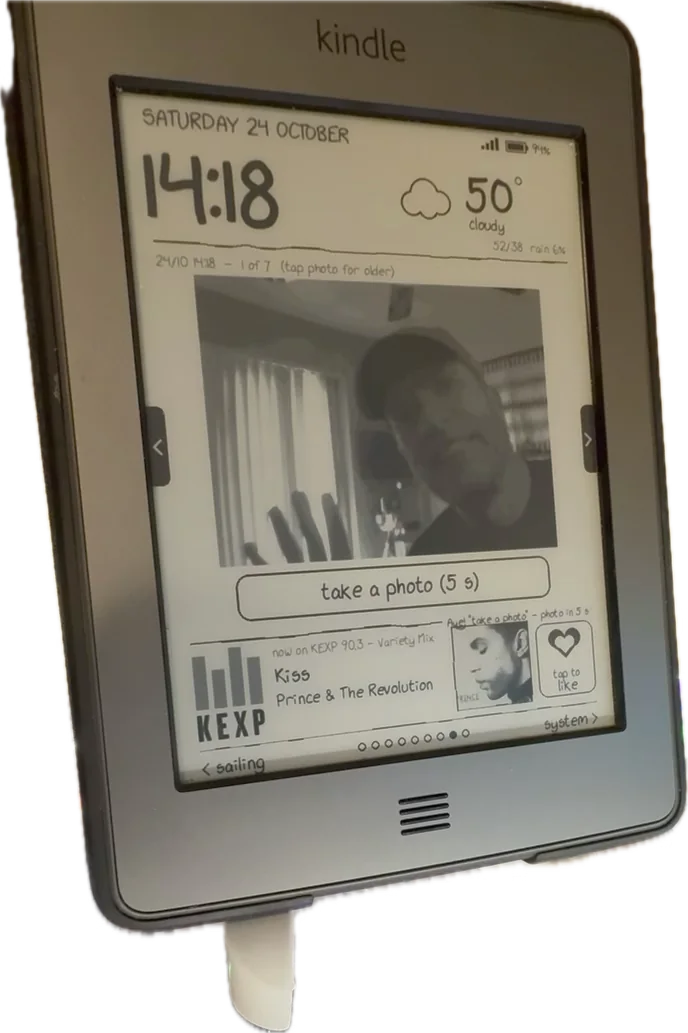
| booth | Selfie booth: a button, a countdown, the latest photos |
| system | Health checks for every part of the system, problems first |
Pages rotate every few minutes, but hold still for 10 minutes after a touch. Which pages appear, the rotation interval, night mode and the start page are settings in the Kindle's own KUAL menu. The settings live on the server; the Kindle mirrors them as empty flag files (prefs/rotate-5), which KUAL's if file tests use to put a * next to the current choice.
Every integration point
This is the part that grew. Each one is small on its own.
Weather and xkcd
Open-Meteo (no key needed) for current conditions and a three-day forecast at city level, refreshed every 15 minutes and kept for two hours if the network drops. WMO weather codes map to words and to a set of stick-figure icons (sun, moon, cloud, fog, drizzle, rain, snow, storm). The xkcd font has no degree sign or ellipsis, so the degree mark is drawn as a little circle.
xkcd comes from its JSON API; comics are cached, converted to greyscale, and skipped if they'd have to shrink below half size to fit.
The news digest — and books, over Wi-Fi
A separate project builds a morning and evening digest of Hacker News and Slashdot, summarised by a local language model (Gemma 3 12B on the PC's GPUs — nothing goes to a cloud API). The dashboard shows its headlines, and the Kindle also gets it as a book: every 15 cycles the client fetches /list and downloads anything new into documents/news/, deleting editions older than the last four. Firmware 5.3 can't open EPUB, so the server converts each edition to AZW3 with Calibre's ebook-convert. A drop folder on the laptop works the same way for any other book, copy-only.
Calendar and mail
The today page lists event titles and times, and email that needs a reply — sender and subject only, never the body. That's a deliberate line, and it only exists because of the next section.
Music in the room: a microphone and four ways to recognise a song
A USB microphone on the PC streams 16 kHz audio into a container. Audio only ever lives in a 15-second ring buffer in memory. Every few seconds:
- YAMNet (Google's audio classifier) decides whether it's hearing music, speech or nothing.
- If music, it's matched against my own music library with Olaf, an open-source acoustic fingerprinter. Nothing leaves the PC.
- If that fails, it's compared with the last 50 seconds of KEXP's public stream (my default radio station), fingerprinted in memory. A match takes the title from KEXP's public API.
- Only if all of that fails, the sound is clearly music, and I've provided a key, a clip goes to a recognition API (AudD), rate-limited. Currently off.
Logs record decisions and counts, never song titles.
Spotify: listening to the speakers without touching them
When Spotify plays on my Google Cast speakers, the dashboard should show it. The obvious tool, pychromecast, taught me a lesson on day one: asking a speaker group for its media status launched the default receiver app and stopped a Spotify Jam in the middle of a song. Even a hand-written "read-only" probe made the group re-sync its speakers.
So the Cast client is now written from scratch against the Cast v2 protocol, and read-only by construction: the message encoder refuses anything but CONNECT, GET_STATUS, PING and PONG. It connects once to whichever group is running Spotify and listens to the status updates the group pushes on every track change, instead of polling. When nothing is playing it checks only the receiver status, every two minutes.
Likes
The heart button, Shift L, a voice command or a button in the Kindle's menu all like the song that's playing. Likes go to a local log, and — through the Spotify Web API (PKCE sign-in, refresh token kept in the desktop keyring) — into Spotify's Liked Songs: exactly when the song came from Spotify, and only on a strict title-and-artist match when it came from the radio or the room. Unliking removes only likes the dashboard itself added.
Voice commands
The same microphone runs Vosk, an offline speech recogniser, with a fixed grammar where every command starts with "kindle": kindle like this song, kindle next page, kindle show the weather, kindle take a photo. A fixed grammar makes a small model accurate and stops ordinary conversation from triggering anything. The server polls for new commands and acts on them, and the Kindle shows a pirate-flavoured confirmation (Aye! "kindle next page" - news).
The selfie booth
The webcam doubles as a photo booth: the booth page's button (or Shift S, or a voice command) starts a 5-second countdown, the PC takes a photo, and it appears on the Kindle a few seconds later. These are the only camera images ever saved.
The webcam watches the dashboard
The same webcam can see the living-room Kindle. Every few minutes, the newest frame goes to the PC's local vision model with a short prompt: what time does the Kindle show? If the clock it reads is more than three minutes behind for ten minutes, the laptop gets a notification. It's the end-to-end test that catches what the logs don't: a Kindle that's still checking in but showing a frozen screen. Frames stay in memory.
Sailing
A separate project runs a sailing simulation with an autopilot on the PC. The sailing page draws the boat on a coastline map (Natural Earth data) with wind arrows and the planned route, and its buttons nudge the course or hand control back to the autopilot. Voice works too: kindle autopilot on. It's hidden on the bedroom Kindle — no steering from bed.
Home Assistant
The bedroom Kindle's Shift P and Shift Space call Home Assistant's REST API to play Liked Songs on the stereo and to pause. This is the start of a bigger plan: one catalogue of actions, defined once in Home Assistant, shared by the Kindles, the room's voice commands, Siri, Google and Alexa. Not working yet — the access token isn't created.
Notifications
A watchdog on the server sends a desktop notification when a Kindle stops checking in for five minutes, when its battery drops below 15% and it isn't charging, or when the webcam check fails.
Sleep screens and banners
On the bedroom Kindle, the screensaver hack shows images from a folder when the device sleeps. Every six hours, the client syncs eight recent booth photos and eight cached xkcd comics into it, each drawn on the server as a 600×800 page with a caption.
$ tail -4 log.txt
2026-10-29 07:25:44 start 3038452b
2026-10-29 07:25:51 sleep screens: 15
2026-10-29 13:25:51 sleep screens: 15
2026-10-29 19:25:52 sleep screens: 16
# 16: a new booth photo arrived between syncs
On the Touch, the lock screen and the library's bottom banner used to show Amazon's special offers. The device is long out of support and the offers had long expired, so the slots showed a "missing offer" placeholder. A script builds replacement banners and sleep screens with rotating Doctor Who lines (the Wi-Fi network has a Doctor Who name), and the Kindle installs them into the expired slots, keeping a backup for "undo".
The system page
Every check-in carries a few diagnostics, and the server adds its own: when each Kindle last checked in, battery and temperature, Wi-Fi signal, whether the Kindle's clock is right, free memory, uptime, whether the Kindle's script is the current version (an MD5 prefix compared with the server's copy), whether SSH is on, and the state of every service the dashboard depends on — the microphone, the webcam, the screen check, the autopilot, KEXP, the weather, Spotify, the last digest. Problems are listed first. It's the page I look at when something seems off.
Privacy: a line that moved once
For the first two days, the dashboard was reachable from the wider building network through a port forward on my router. Because of that, it carried nothing personal: the date, the clock, the weather and public headlines. The token in the path was the only lock.
Once both Kindles were on my own network, I removed the port forward. The server now answers only my home network's addresses (anything else gets 403), and only then did calendar titles and mail subjects appear. Some rules haven't moved: mail bodies and summaries never go over HTTP, audio and webcam frames are never written to disk (except booth photos, on purpose), and nothing logs song titles or the token. If anything ever exposes the dashboard beyond the home network again, it goes back to counts only.
What I'd tell myself on day one
- Put the logic on the server. It's the decision everything else rests on.
- Long-poll before you build any push channel. One held-open HTTP request made the Kindles feel instant.
- Report diagnostics on every request, and build a system page early. Half the bugs were found by reading it.
- Make every failure visible on the screen, and give the device back to its normal UI when you can't reach it.
- Busybox will surprise you.
grep -E,head -c,ping -W,command -v,od,nohupandsetsidwere all missing on one device or the other. - Never run a daemon-starting command through a captured pipe.
- "Read-only" isn't side-effect-free when you talk to someone else's devices. The Cast protocol is a good example.
- Get SSH working early, so USB cables stop being the deploy tool.
Still open
- Moving the server to the PC. It runs on my laptop today, so the Kindles go offline when the laptop sleeps.
- Home Assistant actions for the bedroom Kindle's play and pause.
- Likes everywhere: Spotify, YouTube Music, Plex and the Kindles in sync.
- A travel setup for the Touch, since Tailscale can't run on it.
By the numbers
| Kindle Touch (living room) | Kindle Keyboard (bedroom) | |
|---|---|---|
| Year, firmware, kernel | 2011, 5.3.7.3, 2.6.31 | 2010, 3.4, 2.6.26 |
| Input | Touch (zforce, 0–4095), Home button | Keyboard, 5-way pad, page buttons |
| Client | ~480 lines of busybox sh and awk | ~310 lines of Python 2.7 |
| Started from | KUAL menu | Shift D (Launchpad) |
Shared: one dashboard server (~2,200 lines of Python), a now-playing container on the PC (~590 lines), a read-only Cast listener (~310 lines), and eleven pages.